Scalable Trainings with a Learning Platform
Scalable online training saves time and resources. Discover how a learning platform supports...
Online training automations save time and make the learning experience smoother. Automations can for example guide the learner, take care of administrative tasks, create reports, and keep information up to date automatically.
This blog post explores automations in online training and what can be automated on the Vuolearning platform.

HR and the training team can work faster and more efficiently: There's no need to send messages or reminders manually, track completions in Excel, compile reports by hand, or create user accounts manually.
Competence management becomes easier: You can see in real time who has completed mandatory training, which content is most engaging, and what competencies different teams have.
Learner experience becomes smoother: Automated reminders guide the learners, the right materials are added to each user automatically, and learners receive feedback and course certificates immediately after completion.
The Vuolearning platform offers many automations related to learning, administrative tasks, user management, reporting, and analytics. Some automations can be set up directly in the platform, while others require integrations, such as an integration with an HR system.
Users' progression through learning materials can be controlled with various automations.
Courses can be scheduled for publication. You can publish the whole course at once or schedule chapters to open gradually on specific dates. You can also set the course to close automatically after a chosen date. Phased release of chapters is useful for example if you want to spread learning over a longer period of time so that the user doesn't complete the entire course at once.
In learning paths, you can set the steps to unlock automatically only after the previous step has been completed.
You can also set target schedules for courses and learning paths' steps, and close the user's access to the course or step automatically once the target date has passed.
It is possible to send many types of automated messages from the platform – for example, when the user has been added to the platform, added to a new course or an event, when a new completion has been added to the user, or when the user signs up for an event.
Additionally, reminders can be automated for expiring completions and upcoming target schedules of courses or paths. Automated reminders guide the user in completing content that is assigned to them and ensure they stay on track with deadlines.
For tasks, such as multiple-choice tasks and open questions, you can automate feedback texts and task points. In some task types, like multiple-choice tasks, you can also tailor the feedback based on whether the user answers correctly or incorrectly.
Automated feedback saves the trainer's time and benefits the learner as well, as the learner receives the feedback immediately, which can support learning.
User accounts can be created manually, but it is much easier and more secure to automate account creation and deletion. Accounts can be generated directly from an HR system or other existing data.
Automatic account deletion is also possible based on HR system data. The accounts can also be marked as expired if the user has not logged in for a certain period and then deleted automatically.
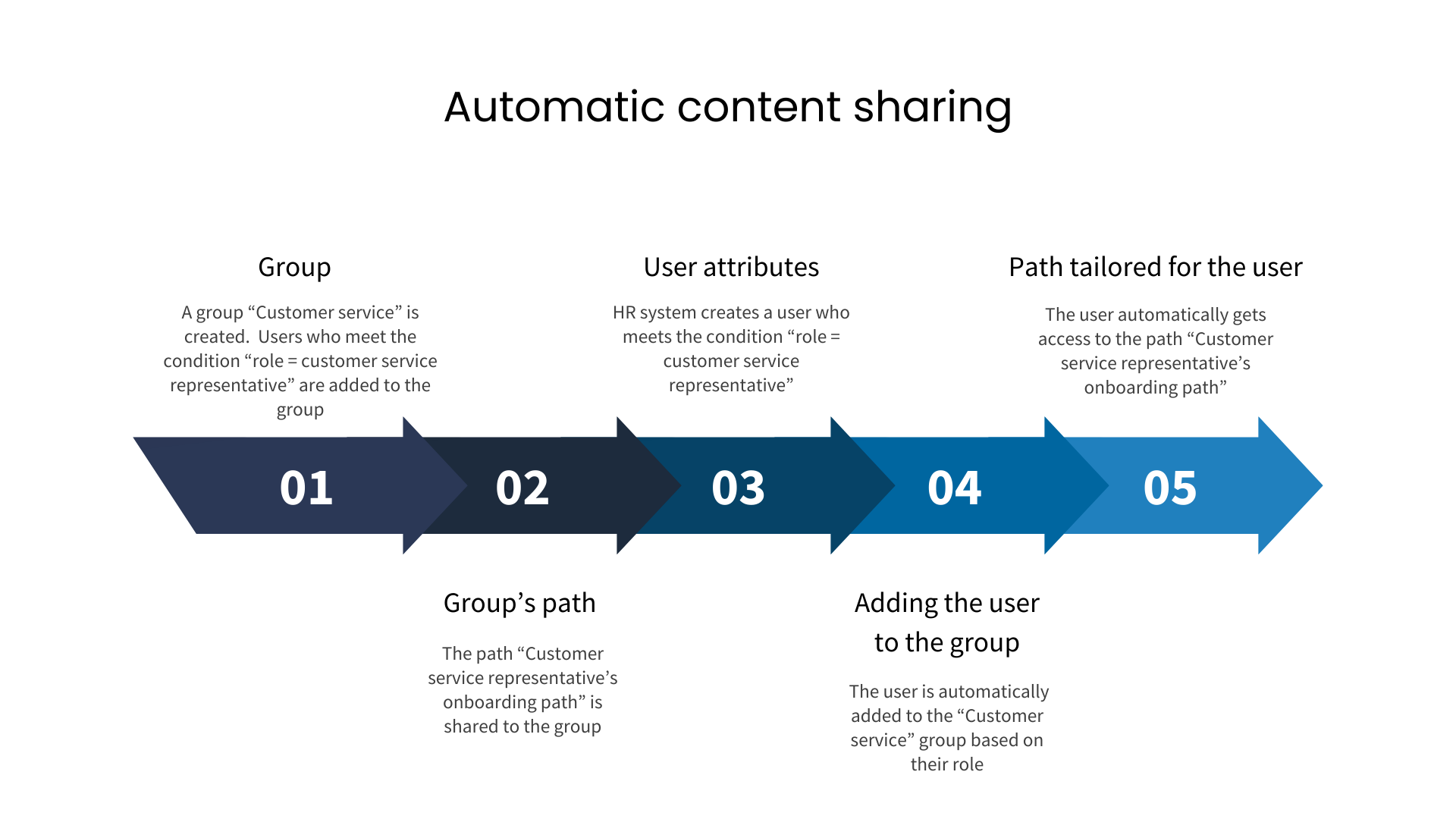
Based on the user's background information, they can be automatically added to groups in the platform. With groups, the user can automatically get access to course content relevant for them. Groups also make reporting and analytics easier for specific segments.
Based on HR data, a supervisor structure can be created automatically to the platform. This allows supervisors to see their team members' progress across different learning contents, grant completions, conduct development discussions, and send reminders about unfinished courses or expiring completions. My team page shows the supervisor reports and metrics that matter to them.
When a course has completion requirements, the learner automatically receives a successful course completion status when they have met all the requirements set for the course, and the trainer does not have to review the completions manually. A certificate of a completed course can also be automatically sent to the user.
You can define an expiration period for achievements, such as certificates. The platform monitors the validity automatically and the supervisors do not need to keep a separate list of people whose certificates are about to expire.
You can enable a queueing feature for calendar events and automatically manage participants. If the event's maximum capacity is reached, users can join a queue. If a participant cancels, the next user in the queue is automatically added to the event.
Learners can automatically earn competencies from completed courses, paths, and achievements, saving time for HR and supervisors who do not have to manually grant them.
The system automatically collects user activity data, such as the last login time, completed courses, progress within the courses, and answers submitted to tasks.
Admins can subscribe to various summary emails about platform activity. These include for example:
Data on various types of completions can be automatically exported to an HR system or imported from one. This keeps the training register automatically up to date.
Automations in online training deliver significant time savings and streamline processes for HR, training teams, and learners. With automations, you ensure that the right content reaches the right users at the right time, user data and completion data is always up to date, and reporting provides clear visibility into skills and development. When manual processes and routine tasks are handled automatically, there is more time for more important tasks - such as developing high-quality learning content and growing organizational competence.
Scalable online training saves time and resources. Discover how a learning platform supports...
Training is an important investment that maintains the company’s competitiveness. But how does one...
Online training as a strategic tool for SMEs – solve training challenges and support growth,...